For the past decade, personal computing has been locked in a subtle architectural paradox. As our laptops grew thinner, lighter, and more aesthetic, their actual intellectual center shifted miles away into massive, energy-hungry data centers owned by cloud hyperscalers.
Every time you asked a digital assistant to transcribe a recording, applied a dynamic filter during a video call, or asked a creative app to remove a background from a photo, your laptop acted as little more than a polished terminal. It packaged your raw data, sent it across the internet, and waited for a remote server farm to process the work and send back a response.
That cloud-first architectural model has officially hit its limit.
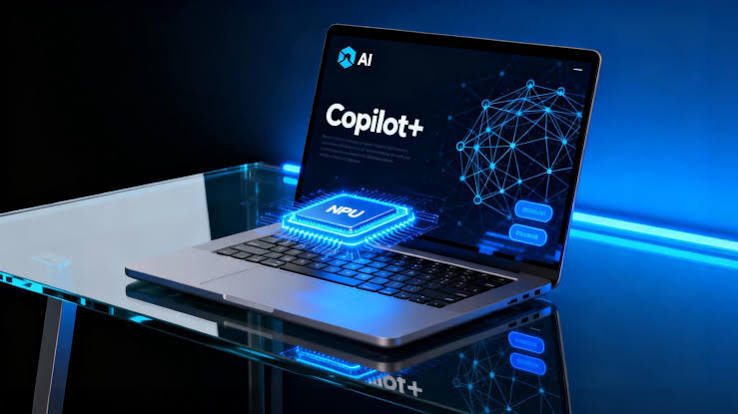
The mass consumer shift toward Copilot+ PCs and AI PCs marks the most fundamental overhaul of personal computer architecture since the introduction of dedicated graphics cards in the late 1990s. At the very center of this revolution sits a specialized piece of silicon that most consumers had never heard of a few years ago: the Neural Processing Unit (NPU).
By bringing high-throughput, ultra-low-power artificial intelligence acceleration directly onto the local processor chip, personal computing is finally reclaiming its independence from the cloud.
What Is an NPU, and Why Does Your Next Laptop Need One?
To understand why tech giants and chipmakers are betting their entire consumer roadmaps on AI PCs, it helps to look at why traditional computer processors struggle with modern machine learning workloads.
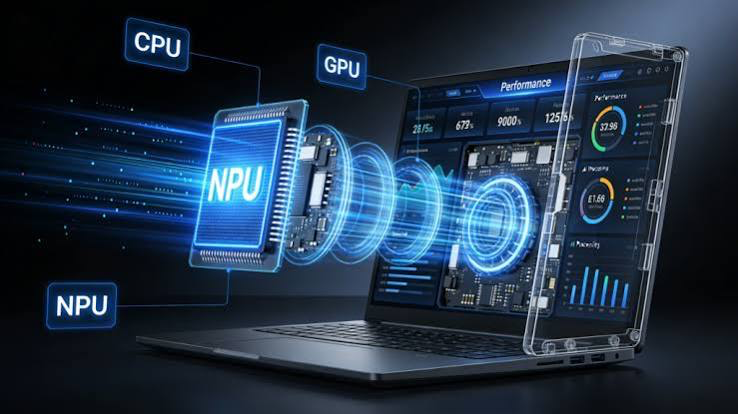
For decades, laptops relied on two primary engines:
- CPUs (Central Processing Units): The versatile generalists. They excel at running operating systems and executing rapid, sequential logical instructions. However, they are fundamentally inefficient when forced to process millions of simultaneous mathematical operations.
- GPUs (Graphics Processing Units): The heavy lifters. Built with thousands of small cores for parallel processing, GPUs are brilliant at rendering 3D graphics and training massive deep-learning models. The catch? Running continuous AI workloads on a laptop GPU generates intense heat and drains battery life within hours.
This is where the NPU (Neural Processing Unit) comes in.
An NPU is a purpose-built domain accelerator. It is engineered specifically to execute the matrix math and tensor calculations that drive modern neural networks. Because its architecture is tailored solely for AI inference, an NPU can execute tens of trillions of calculations per second using a tiny fraction of the wattage required by a traditional GPU.
Microsoft’s baseline hardware standard for a certified Copilot+ PC requires a dedicated NPU capable of hitting at least 40 TOPS (Trillion Operations Per Second). Across major silicon architectures—including Qualcomm’s Snapdragon X series, Intel’s Core Ultra processors, and AMD’s Ryzen AI platforms—this threshold has become the new baseline for consumer hardware.
The Four Catalysts Driving the Mass Consumer Shift
The transition to NPU-equipped laptops is far more than a marketing push or a temporary tech gimmick. It directly resolves four critical structural bottlenecks that have plagued cloud-dependent AI.
1. Eliminating Latency and Lag
Sending requests to cloud servers introduces latency. While a two-second wait for an image generation prompt might be acceptable, a 300-millisecond delay every time your operating system tries to predict your text, adjust your webcam focus, or index your documents creates a frustrating, laggy user experience. Running AI locally on an NPU brings execution times down to near-zero milliseconds.
2. Multi-Day Battery Life
Offloading background cognitive tasks—such as noise suppression during calls, voice separation, and file categorization—from the CPU to an power-efficient NPU dramatically drops system wattage. This architectural shift allows laptops to deliver all-day or multi-day battery life without throttling performance or turning on noisy cooling fans.
3. Ironclad Privacy and Security
Transmitting personal notes, meeting records, sensitive financial spreadsheets, and family photos to a third-party server creates massive data privacy vulnerabilities. On-device processing ensures that contextual AI features—such as local document search, real-time transcription, and automated summarization—process sensitive data entirely within local system RAM. Your data never leaves your device.
4. The Windows Upgrade Cycle
Timing is everything in consumer technology. With older operating systems reaching end-of-support windows and enterprise hardware fleets aging out, businesses and consumers are entering a natural hardware refresh cycle. Upgrading directly into NPU-enabled hardware ensures that new laptops remain capable of running next-generation software features across a standard 3-to-5 year lifespan.
Real-World Comparison: Traditional PCs vs. Copilot+ AI PCs
What does this hardware shift look like in daily use? Here is how everyday productivity tasks change when accelerated by a dedicated NPU:
| Computing Task | Traditional Cloud / CPU Architecture | Modern NPU / Copilot+ PC Architecture |
| System Search | Basic keyword and file-name matching. | Semantic Natural Search: Find documents or web pages by describing vague memories (e.g., “that financial chart with the green header from last month”). |
| Video Calls | Software background blur handled by the CPU, causing high heat and battery drain. | Hardware Studio Effects: Eye-contact correction, background blur, and background noise removal running coolly on the NPU. |
| Language Translation | Requires an active internet connection and third-party web APIs. | On-Device Live Subtitles: Instant, offline translation of audio from live meetings or local video files across dozens of languages. |
| Creative Editing | Long rendering times for generative filters and object removal. | Real-Time Canvas Manipulation: Near-instant sketch-to-image rendering, local generative fills, and real-time audio stem separation. |
The Ecosystem Shift: Why Software Is Moving On-Device
Hardware alone does not drive consumer adoption; software makes hardware meaningful. Operating systems and major creative suites—such as Adobe Creative Cloud, DaVinci Resolve, and Microsoft 365—have fully re-engineered their software engines to tap directly into NPU neural execution frameworks.
Simultaneously, the open-source software movement has driven rapid development in Small Language Models (SLMs). These lightweight, highly optimized AI models deliver impressive reasoning capabilities while using a fraction of the memory required by massive cloud-based LLMs. When paired with consumer NPU hardware, SLMs enable offline coding assistance, private document analysis, and hyper-personalized digital assistants that run completely locally.
What This Means for Your Next PC Purchase
We are approaching the end of the “AI PC” as a distinct marketing term. Just as we no longer refer to modern mobile devices as “touchscreen smartphones,” we will soon drop the prefix from AI PCs.
Moving forward, an NPU will simply be a standard, expected component of every personal computer—working quietly in the background alongside the CPU and GPU to handle the heavy cognitive lifting of modern operating systems.
For consumers and professionals looking to buy a laptop today, investing in an NPU-equipped device isn’t just about accessing new software features right now—it is the single best way to future-proof your hardware against the next decade of software innovation.